Income and expense tracking
Review your monthly figures and explore spending by category. Keep transfers and reimbursements distinct from everyday income and expenses.

Google Sheets · Budget and expense tracker
A personal finance dashboard for Google Sheets that brings income, expenses, monthly budgets, subscriptions and savings goals into your own spreadsheet.
Coming soon. Explore the product and its features.
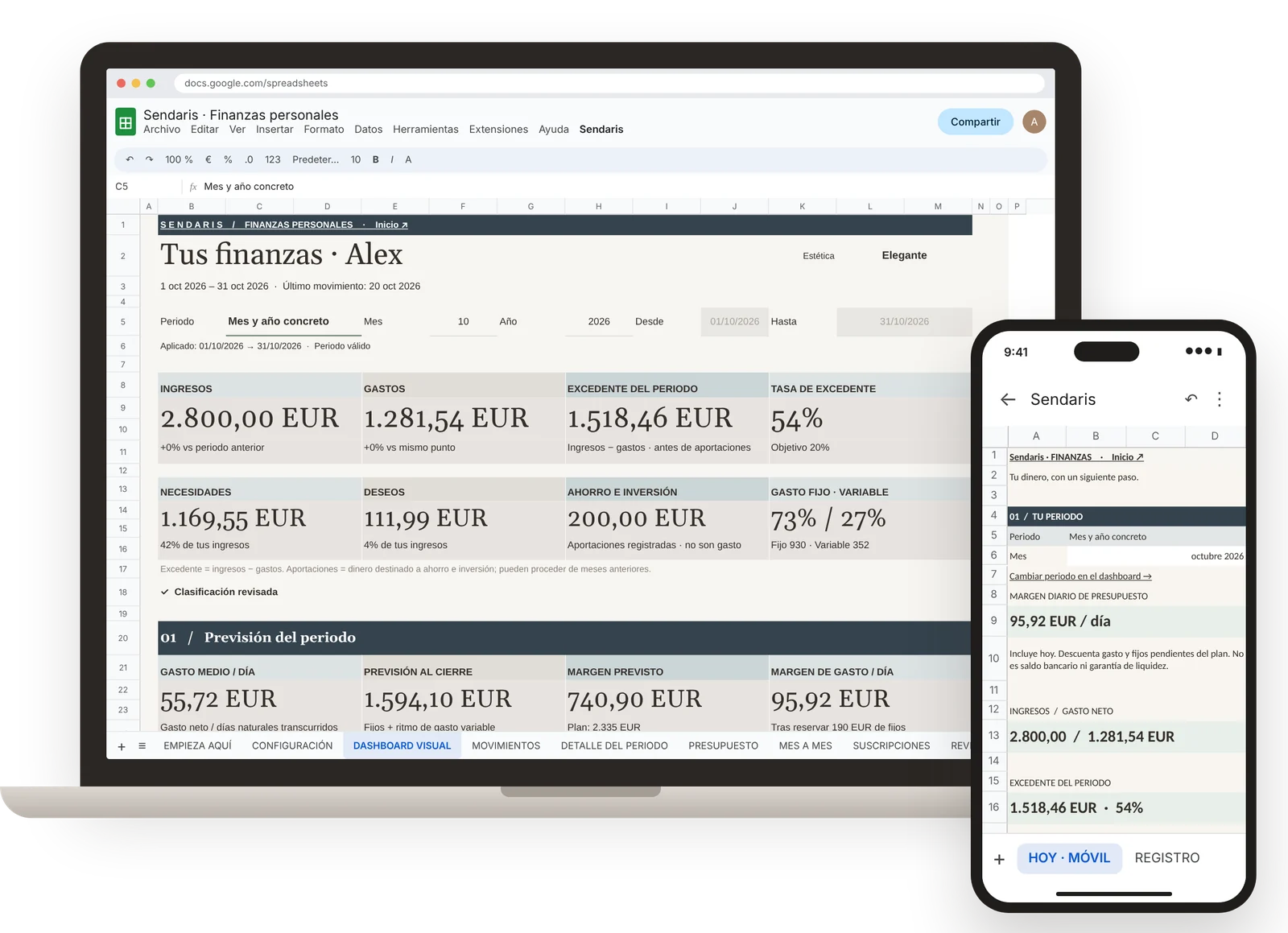
Product screenshots show the Spanish edition with fictional data. A separate English edition is included.
The template
Record a transaction once and let the spreadsheet recalculate the related summaries and charts.
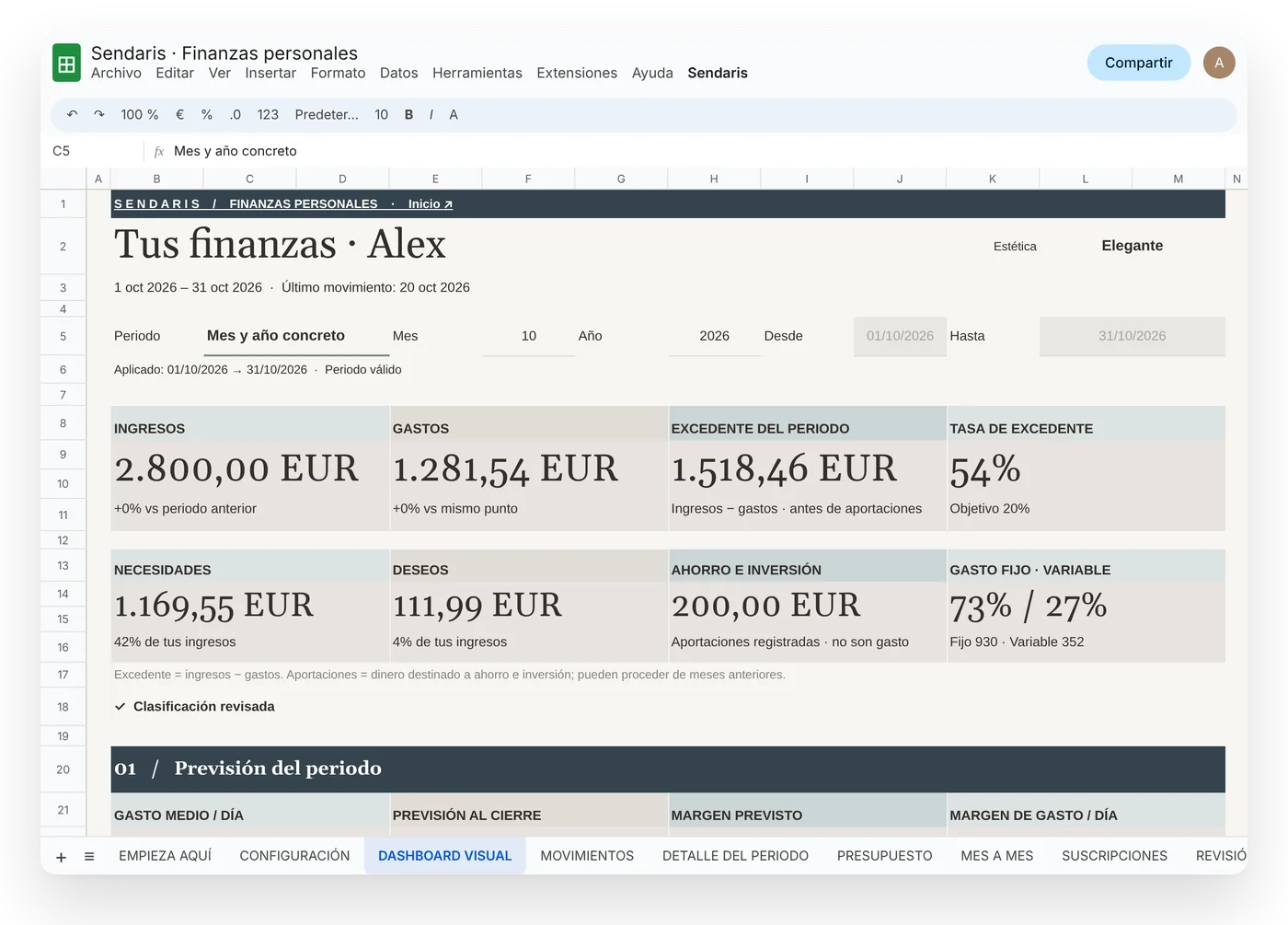
Review your monthly figures and explore spending by category. Keep transfers and reimbursements distinct from everyday income and expenses.
Set a budget by category and compare it with your recorded spending. See where you are within budget and where a closer look may help.
Keep recurring costs and savings goals alongside your main dashboard, so you can review them as part of the same routine.
Getting started
When you first use the Sendaris menu, Google asks you to authorise the spreadsheet's automations. Sendaris does not ask for your bank password or connect to your bank.
A closer look
Explore income and expenses, understand your spending by category, and track your goals in one dashboard. Product visuals are shown in Spanish.
One product, two editions
Choose the language you prefer. The editions are separate Google Sheets files, rather than an in-file language switch.
Copy links, getting-started guides and a licence for personal or household use. Redistribution and resale are not included.
Help with access, creating your copy and product issues. Response within three business days; customisation and financial advice are not included.
Planned launch price: €19 for the first 30 days after sales open, then €24. The launch period has not started. There is no recurring subscription to Sendaris.
Before you start
The product is a Google Sheets template. The interactive website demo is a simplified illustration with fictional data, not the application you purchase.
The template is designed for Google Sheets and uses its automations. Excel compatibility is not promised. Importing an Excel statement is a separate feature.
You can view and record transactions in the Google Sheets mobile app. Use a computer for initial setup and importing files.
No. Add transactions manually or import supported files. Charts recalculate from the data in your spreadsheet; bank transactions do not arrive automatically.
Each file has one base currency. Changing its setting changes formatting, not exchange rates or the underlying amounts.
CSV files, Excel files and pasted tables. Bank formats vary, so you may need to map columns. PDF statements are not supported, and possible duplicates require review.
You need a Google account and access to Google Sheets. The template does not require a paid Sendaris subscription.
See the product with sample data. Coming soon.